
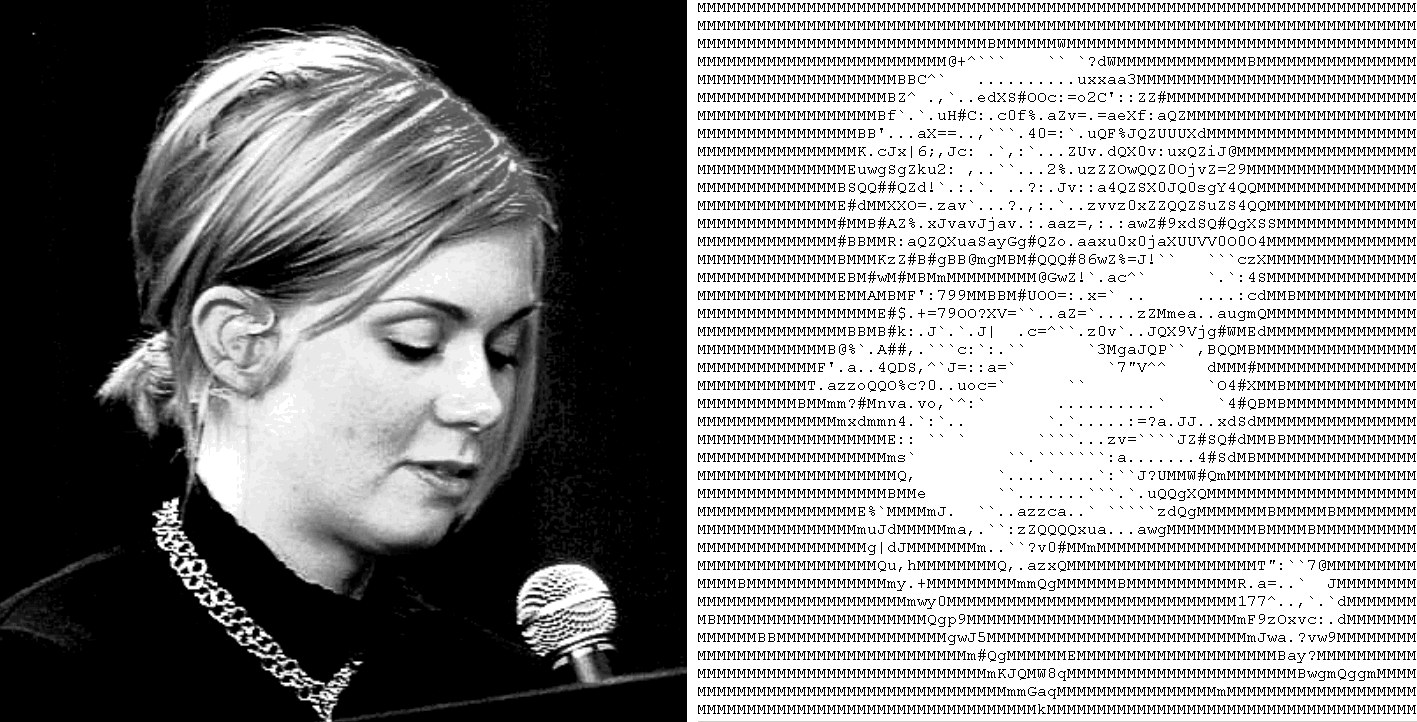
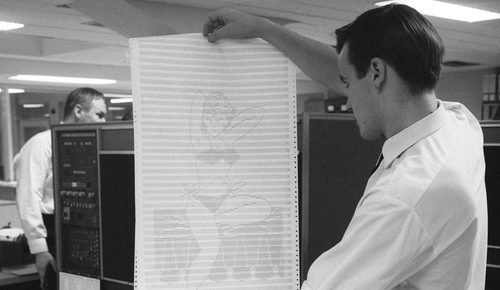
ASCII art constructs images entirely from the standard character set defined by the American Standard Code for Information Interchange: letters, numbers, punctuation, and symbols. Each character sits on a monospaced grid, where its shape and visual density stand in for a pixel's tone—dense characters like @ or # read as dark, while a period or blank space reads as light. Early ASCII art grew out of typewriter art and teletype printouts, where limited character sets were the only way to render an image with the equipment on hand. Digital ASCII art is typically produced by converting a photograph through software that maps brightness values to characters, then refined by hand, or composed directly by an artist choosing characters deliberately for shape and rhythm. The form depends entirely on a monospaced font, where every character occupies identical width, so rows and columns line up into a coherent image rather than a ragged block of text.
What defines the medium
Monospaced font requirement
ASCII art only reads correctly in a font where every character takes up identical width, otherwise rows misalign and the image distorts or collapses into an unreadable jumble of text.
Character density as tone
Artists exploit how visually heavy a character looks, using symbols like @, #, or % for dark areas and spaces, periods, or commas for light areas, building tone the way shading builds value in drawing.
Fixed character grid
The image is built on a strict row-and-column grid, the same underlying structure as a typewriter page or an early computer terminal display, with no free-form placement of marks.
Plain-text portability
A finished piece is just a text file, letting it be copied, emailed, or embedded inside code comments and forum posts without any image file, unlike nearly every other visual art form.
Photo-to-text conversion
Software commonly converts a source photograph by sampling brightness across a grid and substituting the closest matching character for each region, automating a large part of the process.
Signature and border conventions
ASCII pieces often include a small credit line or decorative border built from repeated characters, a convention carried over from bulletin board and early email culture.
Materials decoder
The toolkit of ascii art
- dense character cluster
- → symbols such as @, #, or % grouped together to render dark shadow areas
- sparse punctuation
- → periods, commas, and single quotes used to render light, empty, or highlighted areas
- monospaced grid
- → the even rows and columns of identical-width characters that hold the image together
- box-drawing characters
- → line and corner symbols from early computer character sets, used to build borders and simple shapes
- plain-text file
- → the text or code-comment format ASCII art is stored and shared in, with no embedded image data
- terminal green-on-black
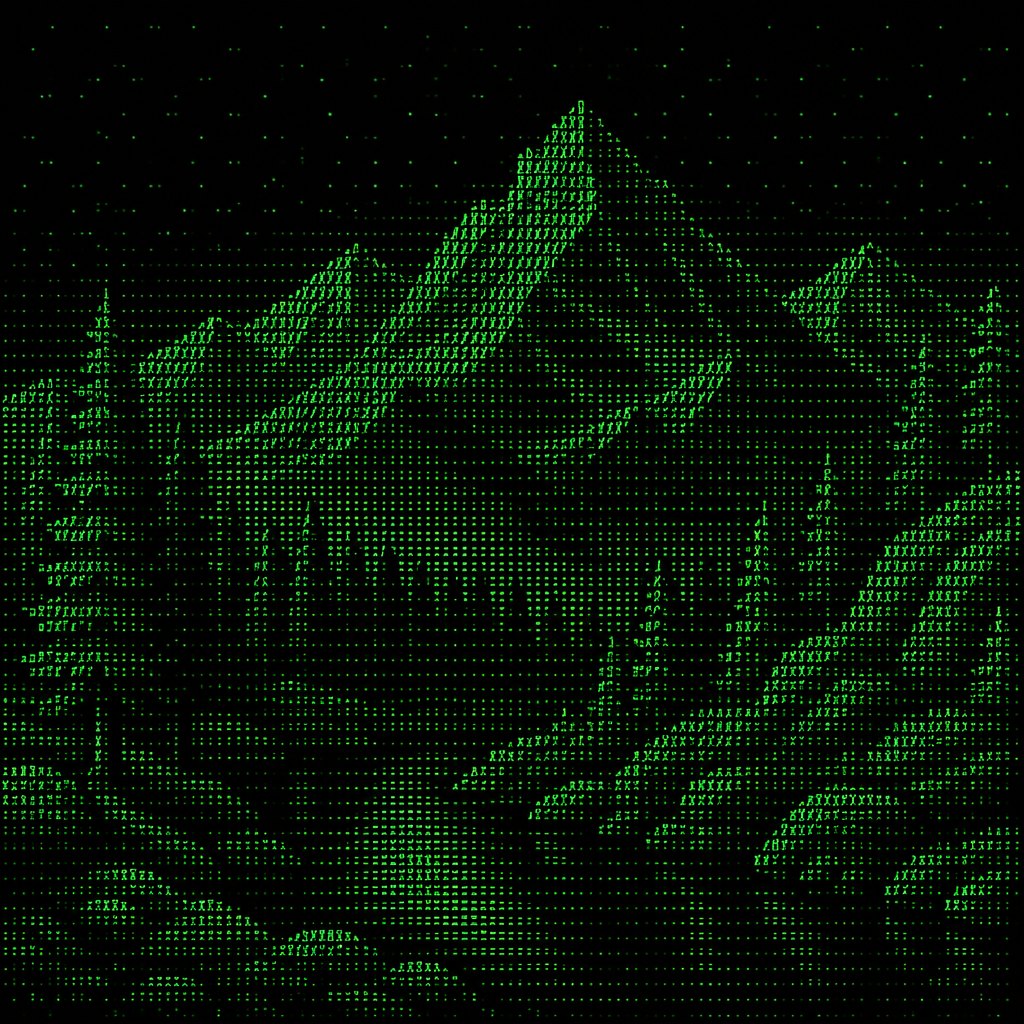
- → the glowing monospaced display style associated with early computer terminals, often used to present ASCII art
The story
Character-based image making predates computers: typewriter artists in the late nineteenth and early twentieth centuries composed pictures from typed letters and punctuation on standard office machines. The practice moved onto early computers and teletype printers through the 1960s, when programmers began arranging available characters into recognizable images as an informal use of otherwise text-only equipment. ASCII art flourished on bulletin board systems and early internet forums in the 1980s and 1990s, where limited bandwidth and text-only email made character-based images practical for signatures, banners, and shared artwork. Dedicated software for converting photographs into ASCII grids appeared during this period, mapping brightness to character density automatically. The style remains closely tied to programming culture, appearing in source code comments and terminal splash screens, and modern web converters continue to produce and archive both hand-composed and photo-converted pieces.
Masterpieces of the medium
| Work | Artist | Date | Why it matters |
|---|---|---|---|
| Typewriter art compositions | Unknown | late 1800s-early 1900s | early character-based pictures composed on standard office typewriters, a direct precursor to ASCII art |
| Teletype and mainframe ASCII images | Unknown | 1960s | early computer printouts arranging available characters into recognizable images |
| BBS signature and banner art | Unknown | 1980s-1990s | text-based artwork shared widely on bulletin board systems and early internet forums |
| ASCII photo-conversion software | Unknown | 1990s | early tools that automatically mapped photograph brightness values onto character grids |
| Command-line and code-comment ASCII art | Unknown | 1990s-present | decorative character images embedded in software startup screens and source code |
 AI-generated
Try the medium
Try ascii art with AI
This example was generated from a prompt like: “A close-up of a computer terminal screen displaying detailed ASCII art of a mountain landscape, glowing green monospaced text on black background, dense symbols forming shadow areas, sparse periods for sky.”
Open the ASCII Art Style generator →The medium today
ASCII art today survives mainly in programming culture, appearing in terminal welcome screens, code comments, and command-line tool splash images. Online converters let anyone turn a photograph into a text-based image instantly, while hobbyist communities still hand-compose pieces character by character for competitions and archives. The style has also become a recognizable aesthetic choice in graphic design and web projects that reference early internet or terminal culture, and it appears occasionally in gallery and print contexts as a nostalgic nod to computing history.
Compose your own
Beginners usually start with a free online image-to-ASCII converter, uploading a photograph and adjusting settings like character set, contrast, and output width until the shapes read clearly. Viewing and saving the result requires a monospaced font such as Courier or a terminal's default font, since a proportional font will scramble the alignment. Hand-composing ASCII art from scratch means starting with simple shapes and letters, choosing dense characters for shadow and sparse punctuation for light, and constantly checking the piece in a monospaced viewer as it develops. Studying classic bulletin-board banners and code-comment art is a fast way to learn common character choices and border conventions.
Frequently asked questions
What does ASCII stand for?
ASCII stands for American Standard Code for Information Interchange, a character-encoding standard from the early 1960s that assigns a number to each letter, digit, and symbol on a standard keyboard, forming ASCII art's character set.
Why does ASCII art need a monospaced font?
In a monospaced font every character takes up the same width, so rows and columns line up into a stable grid. In a regular proportional font, characters have different widths and the image would warp and misalign.
Can a photograph be turned into ASCII art automatically?
Yes—conversion software samples brightness across a grid over the image and substitutes the closest-matching character for each region, producing a rough text-based version of the photo that can be refined by hand.
Where is ASCII art still used today?
It appears in programming culture especially, including terminal startup banners, command-line tool logos, and source-code comments, along with hobbyist galleries and the occasional nostalgic design project.